


The perfect complement to Zoom: Eye contact
Zoom Meetings have evolved rapidly, but the experience can be limited by webcams positioned above the screen, away from the conversation.
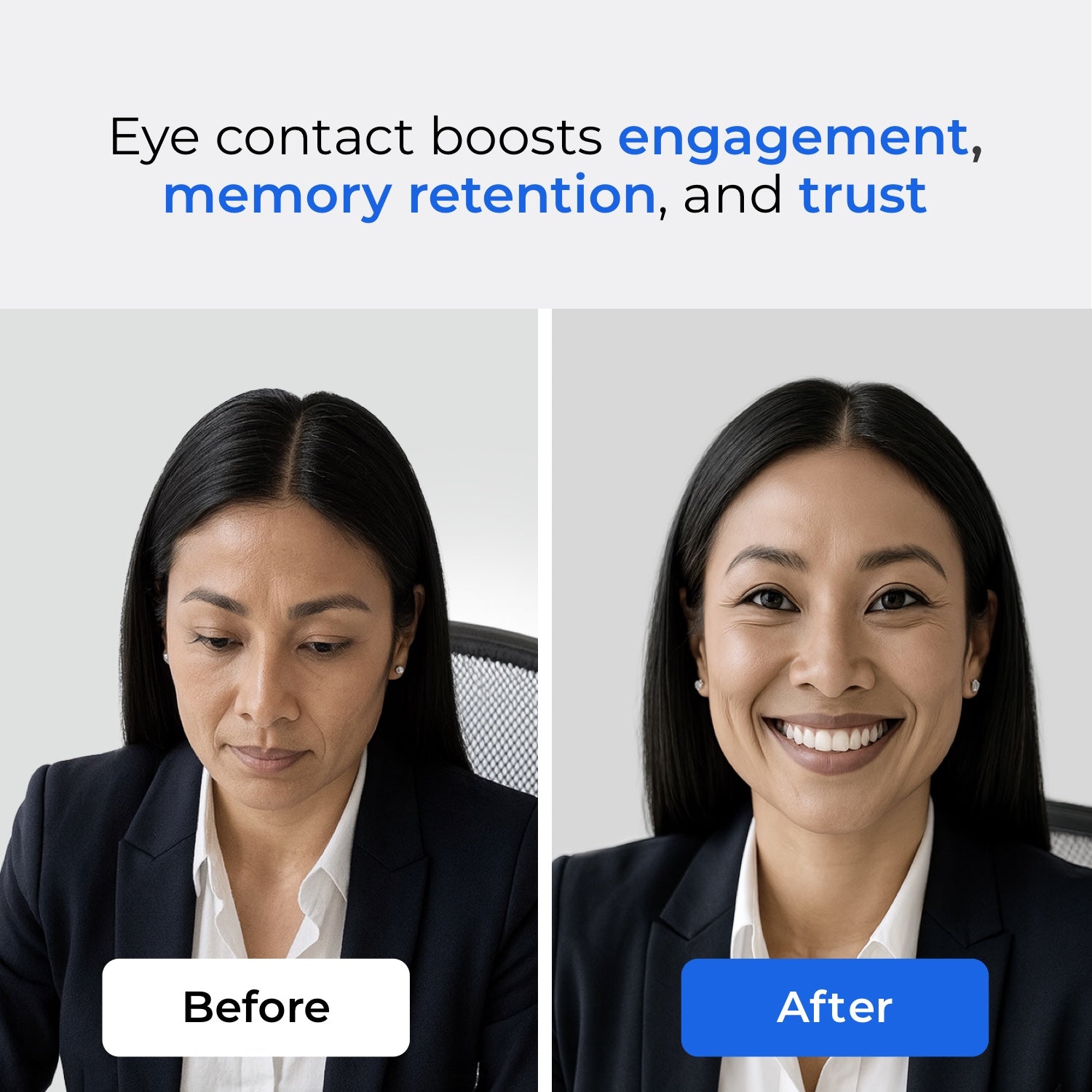
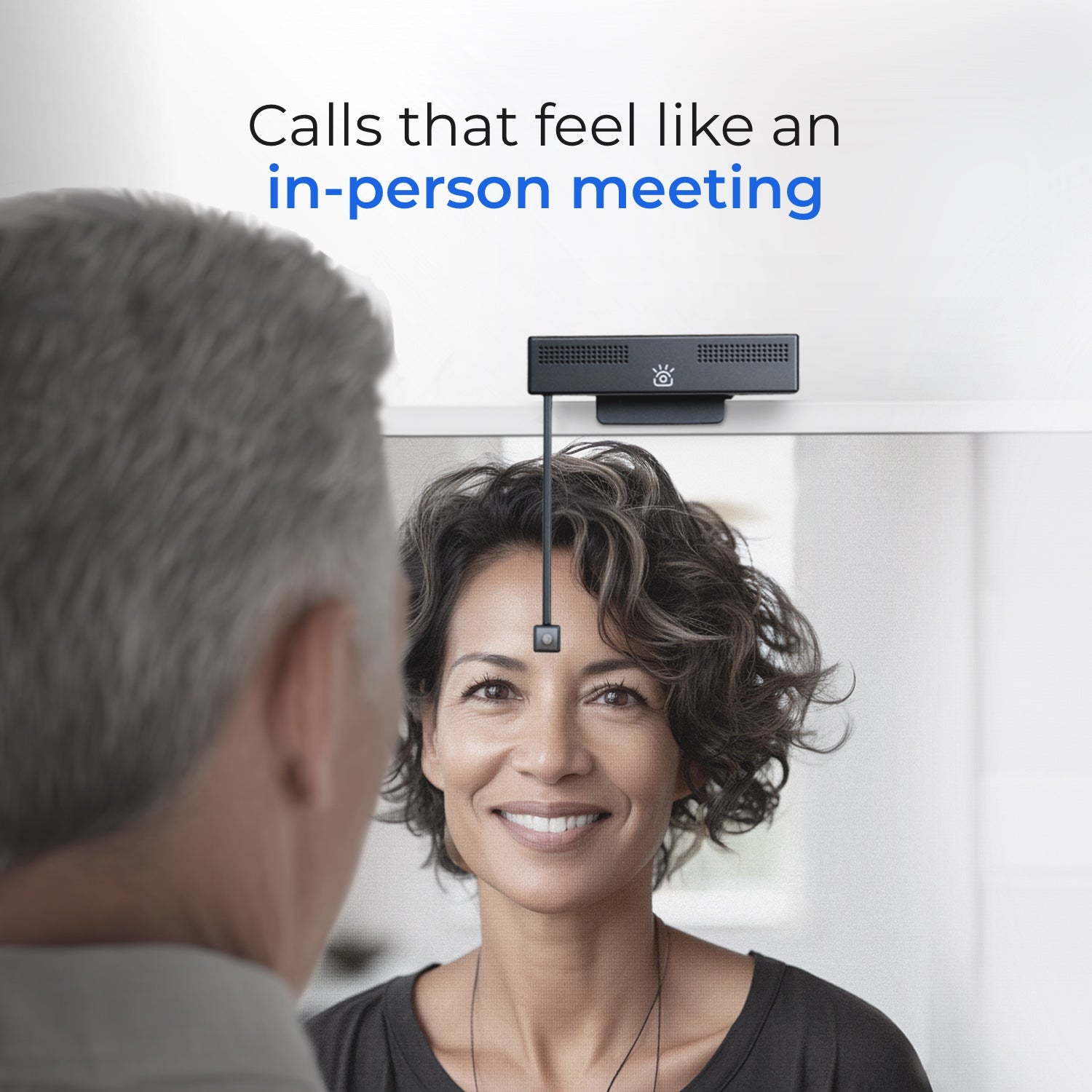
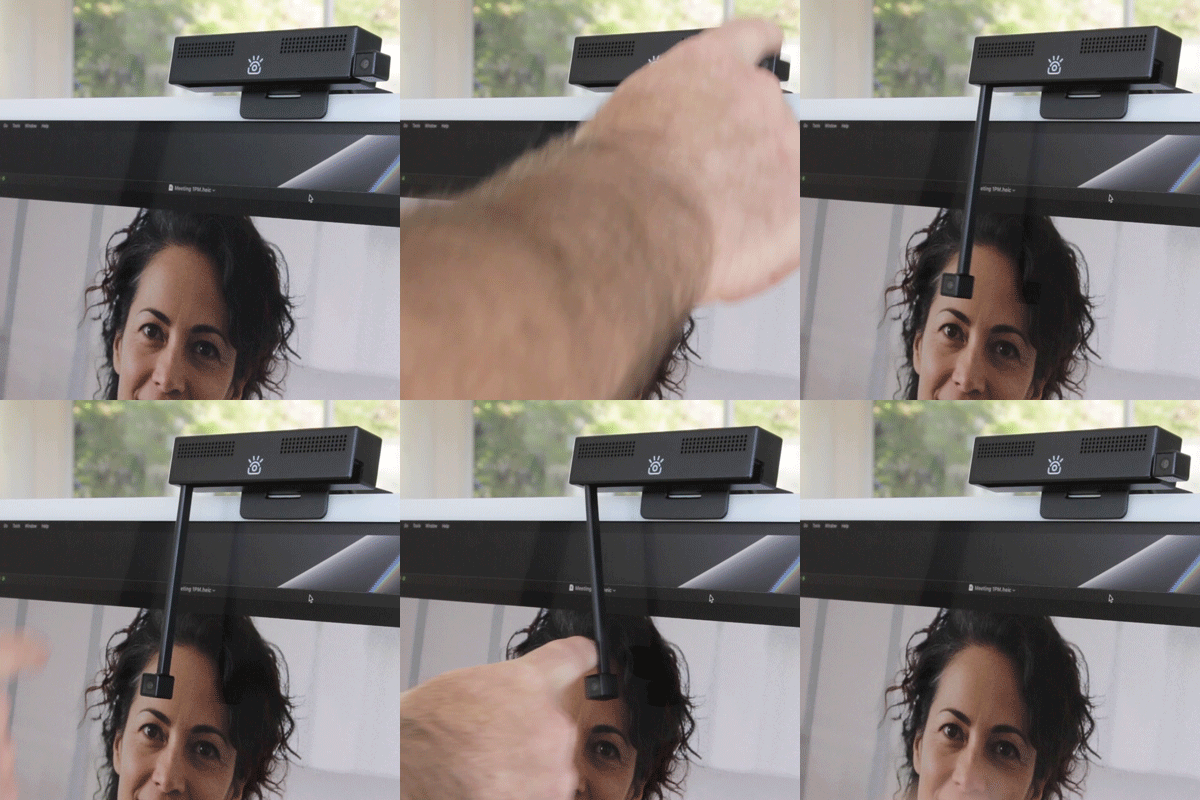
iContact Camera changes that. With a retractable arm that puts the camera at eye level, meetings feel more natural. Studies also show eye contact can also boost trust, engagement and memory retention.
Enablement
Training and certification (3 minutes)
Lean how Zoom+iContact improves meetings and gain access to demo units and deal registration here.
Zoom + iContact Camera one page PDF
Preview and download a short overview you can download and share with customers.
Frequently asked questions
What makes the iContact Camera PRO different from other webcams?
Traditional webcams are all positioned above the screen, resulting in an unnatural, downward gaze during video calls. The iContact Camera addresses this by using a retractable arm to place the lens directly in line with the user's eyes. This innovative design restores natural eye contact, which is the most crucial missing element in current video communication. Direct eye contact significantly enhances trust, engagement, and memory retention in conversations.
Why is eye contact so important in meetings?
Research consistently shows that maintaining eye contact in virtual meetings significantly enhances trust, increases engagement, and improves memory retention, often reaching levels comparable to in-person interactions. Our product, iContact Camera, is specifically designed to help users naturally achieve these benefits, making their calls more persuasive, productive, and impactful.
What products are available in the iContact line?
iContact Camera Pro – Flagship retractable-arm webcam for desktops and laptops.
- ProMini – Designed for laptops and mobile setups.
- ProXL – Optimized for large screens and conference rooms.
- ProHello – Integrated with Windows Hello for secure sign-on.
- iContact Conference Camera – BYOD group solution with AI auto-framing, compatible across Zoom and all major platforms.
How does the iContact Conference Camera compare to traditional group cameras?
The iContact Conference Camera offers a new approach to virtual communication by prioritizing natural interaction over traditional image enhancements. It features AI auto-framing, 4K clarity, and "Bring Your Own Device" simplicity, ensuring cross-platform compatibility. This system aims to replicate an in-person meeting experience at a significantly lower cost compared to high-end conference systems.
Is it Zoom-certified?
Yes. iContact Camera has completed Zoom certification, ensuring seamless integration and reliability across Zoom Meetings and Zoom Rooms.
How do customers use iContact Cameras today?
- Sales Teams: Build stronger client trust and close deals faster.
- Executives: Communicate with greater impact in leadership calls.
- Education: Improve engagement and retention, particularly in hybrid classrooms.
- Healthcare: Enhance patient connection and empathy in telemedicine consultations.
- Government: Strengthen clarity and transparency in public meetings.
How easy is setup?
All iContact Cameras are designed for true plug-and-play functionality, eliminating the need for any software installation.Simply connect the camera via USB, or HDMI for the conference camera, and you're ready to go. Our cameras are compatible with all major platforms, including Zoom, Microsoft Teams, Google Meet, and Webex.
Business Tools
Zoomie internal use demo units (certification required)
Use your personalized discount to get 70% off at checkout on any camera in the Pro lineup. Zoom email required for discount. For Zoom employee use only.
Deal registration and customer demo units (certification required)
Register deals here access free demo units for orders over $2500 and to lock in the opportunity with the best possible pricing.
MSRP line card and pricing
Preview and download line card with MSRP pricing
Sell and position
Success stories
Preview and download success stories
White paper, spec sheets, research, and videos
- White paper
- Spec Sheets
- Eye contact research studies
- Analyst video (David Maldow)
- Zoom education video (Dr. Ford)
- Marketing video (ProHello)
Zoom + iContact Camera conversations
Conversation starters
Starter 1 – Meetings
Zoom Meetings have added AI Companion for summaries, action items, and follow-through. One thing Zoom doesn’t control is where the webcam sits. Most are above the screen, which subtly breaks connection. iContact Camera fixes that by placing the camera at eye level so meetings feel more natural and more effective.
Starter 2 – Outcomes
Teams are getting great value from Zoom AI Companion, but clarity in the meeting still matters. Eye-level video improves engagement and understanding, which makes AI summaries, notes, and tasks more accurate and useful.
Starter 3 – Frictionless setup
This works like any standard webcam. Plug it in, select it in Zoom, and you’re done. The difference is placement. That small change can noticeably improve how conversations land.
Starter 4 – Performance
If a meeting feels more human, people participate more. That leads to better discussion, clearer decisions, and stronger outputs from Zoom’s AI Companion.
Objection handling
“The camera is too expensive.”
Totally fair. The way to look at it is impact, not hardware. If meetings are clearer, shorter, and more effective, the cost is quickly offset by better decisions, faster alignment, and higher performance. It’s not about video quality—it’s about improving the conversation itself.
“This sounds technical or hard to deploy.”
It’s as simple as any webcam. No software, no drivers, no workflow change. Plug it in, select it in Zoom, and it works. The retractable arm just places the camera where it should have been all along.
“We don’t really need this.”
That usually means meetings are being accepted as “good enough.” The opportunity is improving how teams connect without changing how they work. When communication improves, everything built on top of Zoom—AI summaries, insights, and action items—gets better too.
“Our cameras already work.”
They work technically. The question is whether they support human connection. Most webcams sit above the screen, which subtly makes people appear disengaged. Eye-level placement removes that friction without asking users to do anything differently.
Close / next step
The easiest way to understand the impact is to try it. Same Zoom experience, same AI Companion—just better alignment between people on the call. If it doesn’t improve communication, it’s not worth keeping.
Zoom + iContact Camera email sequence
EMAIL 1 — INTRO
Subject: Better Zoom meetings, without changing how teams work
Hi [First Name],
Zoom Meetings have evolved rapidly, but the experience is still limited by webcams positioned above the screen—away from the person you’re speaking with.
iContact Camera Pro changes that. A retractable arm places the camera at eye level, making Zoom meetings feel more natural and human. Paired with Zoom’s AI Companion, teams get clearer conversations, better engagement, and more actionable insights from every meeting.
Organizations like [VERTICAL EXAMPLE] are using this combination to improve communication where trust, clarity, and presence matter most.
Would you be open to trying it in your Zoom environment?
Best,
[your name]
Vertical examples to swap in
- Telehealth: Teladoc, VA medical centers
- Recruiting: Robert Half, enterprise talent teams
- Legal: AmLaw firms, global legal teams
- Therapy: BetterHelp, virtual care providers
- Private banking: Morgan Stanley, wealth advisory teams
- Generic: Enterprise teams across healthcare, finance, and professional services
EMAIL 2 — PROOF + WHY IT WORKS
Subject: Why Zoom meetings feel better when camera and person align
Hi [First Name],
Zoom already does the hard work—reliable meetings, AI Companion summaries, action items, and follow-through.
What often gets missed is something simple: alignment. When the camera sits above the screen, people appear distracted. When the camera is aligned with the person on screen, communication improves immediately.
With iContact Camera Pro, Zoom meetings feel more focused and human, while AI Companion captures clearer summaries and more accurate next steps.
Research consistently shows:
- Higher engagement when eye alignment is present
- Better recall of meeting content
- Increased trust compared to misaligned video calls
It installs like any webcam. If you don’t see a meaningful improvement, it can be returned.
Best,
[your name]
EMAIL 3 — DEMO OFFER
Subject: Try it with Zoom — demo units available
Hi [First Name],
More than 10,000 businesses use iContact Camera with Zoom to strengthen communication in high-value conversations.
Teams tell us the difference is immediate: meetings feel more natural, participants stay engaged longer, and Zoom AI Companion produces clearer summaries and action items because conversations flow better.
We offer demo units for Zoom partners to try internally or with customers. No workflow changes. Just better Zoom meetings.
Let me know if you’d like to request one—I think you’ll see the value quickly.
Best,
[your name]
Contact us
iContact Camera
Stacy Nimmo, CRO
Stacy@icontactcamera.com
415 860-7467
Zoom preferred reseller: UC Direct
Beckye Levin blevin@unifiedcommunications.com
713.358.8070
Click here to log out of your account.
Recommended solutions

Backed by Science

Zoom Fatigue: Why Gaze Alignment Matters

دور اتصال العين في تعزيز الاحتفاظ بالذاكرة

قوة اتصال العين في التفاعلات الاجتماعية
Proven in Business